Sites with frequent task switching
A center that checks instructions by work type, such as warehousing, picking, inspection, and loading, and organizes work start and result registration procedures.

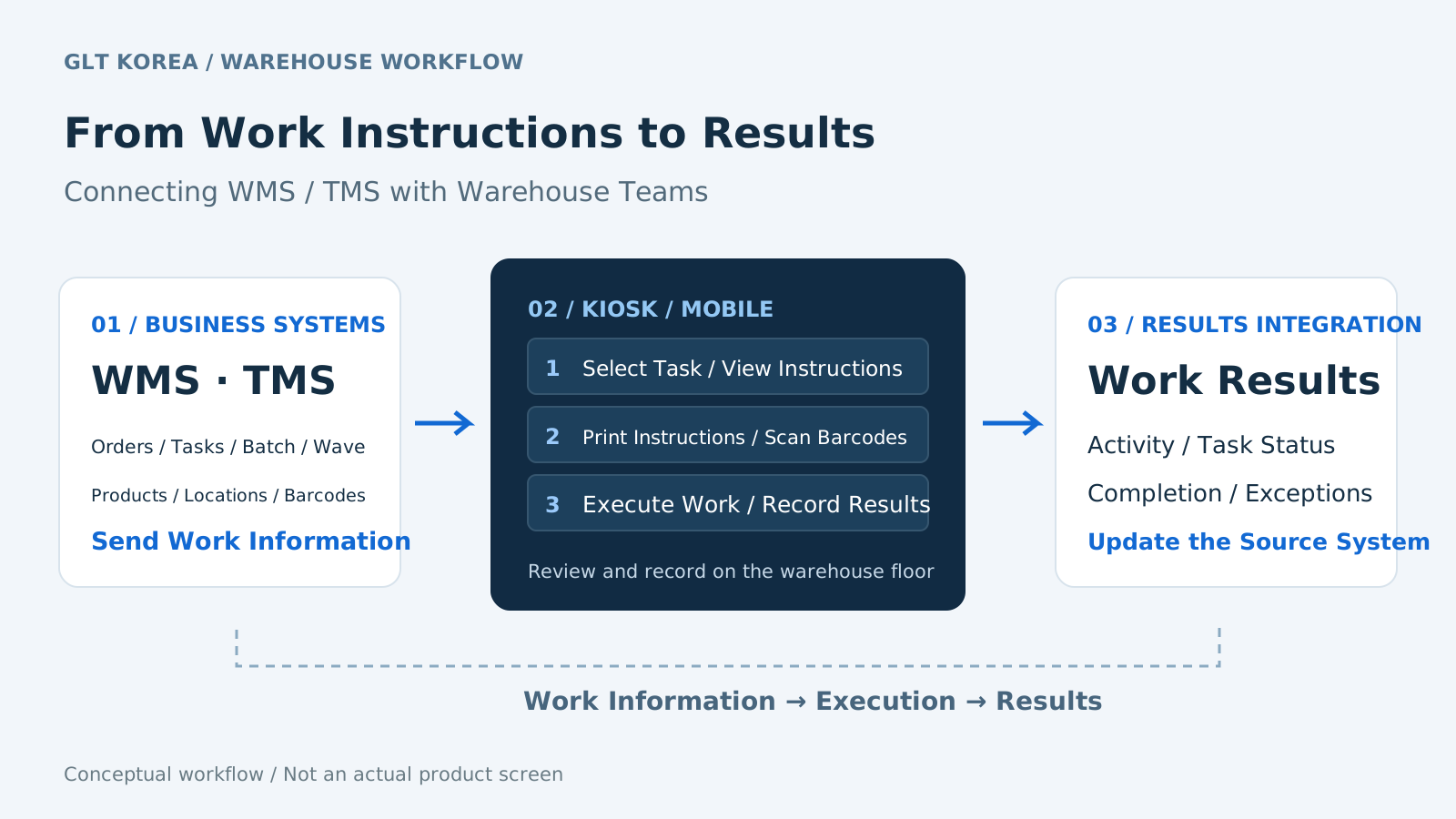
From work instructions to results.
Connect every step on the floor.
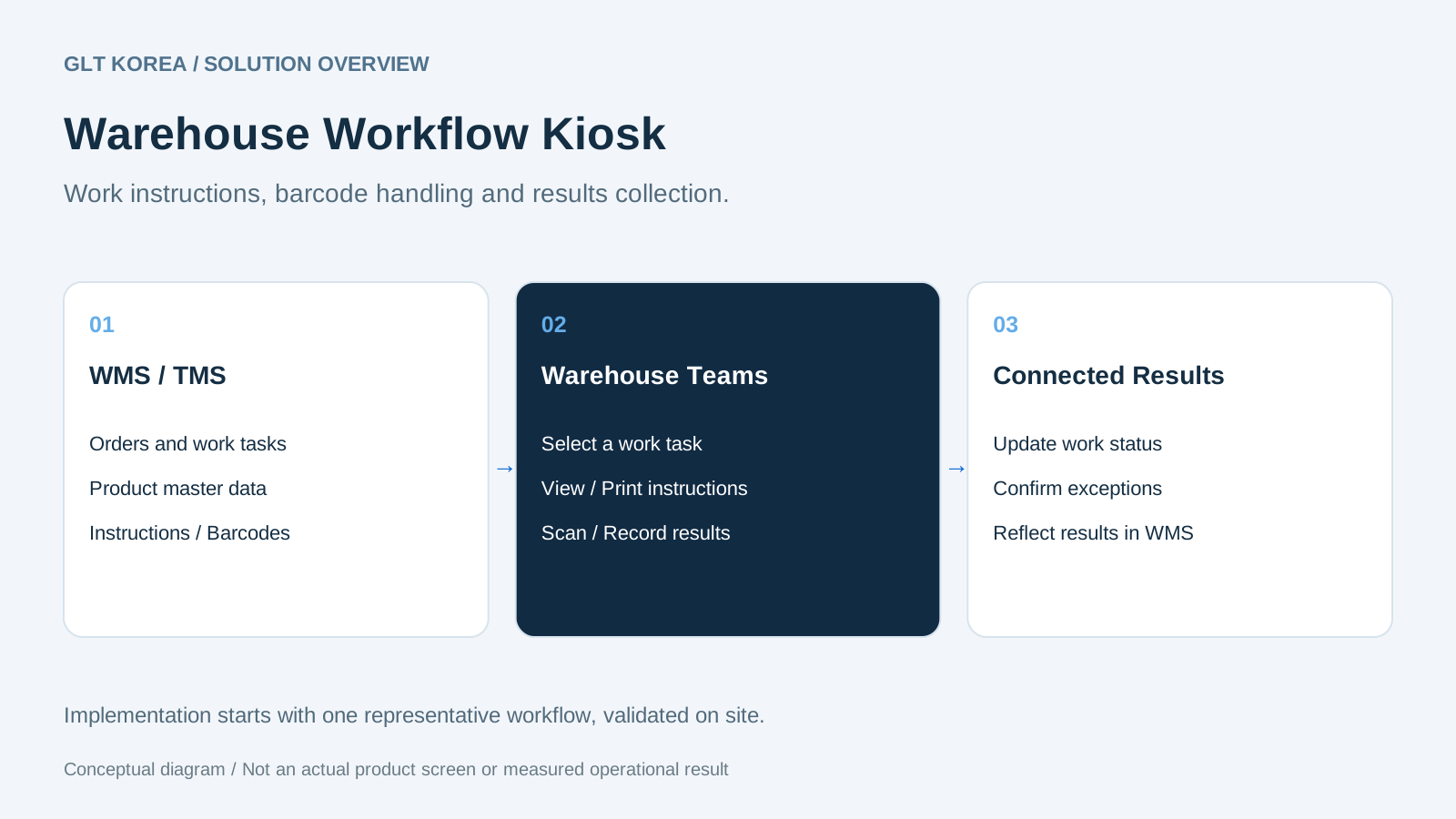
Links order and work information from WMS/TMS with on-site kiosks. The logistics center work flow consists of task selection, instruction confirmation/printing, barcode processing, and result registration.
We create a contact point where workers check necessary instructions on site and connect the processed results back to the work system.
A center that checks instructions by work type, such as warehousing, picking, inspection, and loading, and organizes work start and result registration procedures.
An operating organization that connects shipping operations with loading and transportation instructions and reflects field processing results in WMS and TMS.
A logistics company that seeks to configure common terminals and work flows according to the forms, barcodes, and areas in charge for each shipper and task.
Receive agreed work information such as orders from WMS/TMS, batch/wave, etc.
The worker checks the task type and instructions and prints out the necessary instructions.
We use kiosks and mobile devices to handle relevant tasks such as picking, inspection, and loading.
Work results are registered and delivered to the linkage system. Cancellation and reprocessing standards are also established.
We have summarized the workflow of existing introduction materials. The step-by-step application method and timing of transmitting results are designed according to the scope of the center's work and connection.
The function description was reorganized based on existing product introduction materials. The current supply version, basic functions included, additional development and equipment supply scope will be confirmed during the introduction consultation. We do not provide public executable demos, but provide screen and configuration consultation.
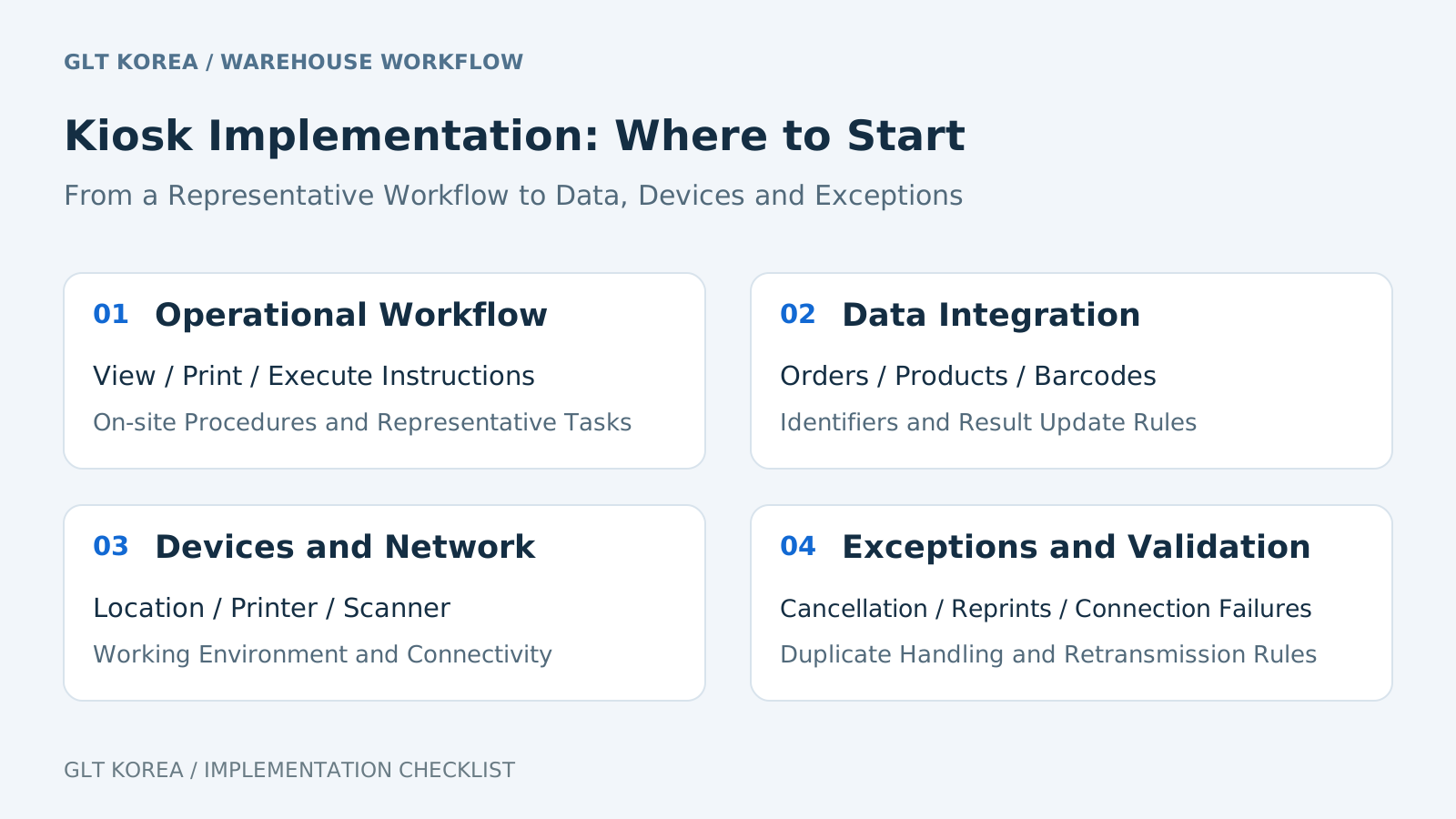
First, determine the standard system for work information and the target for reflecting the results. The roles of the kiosk are differentiated from the inventory/stocking/delivery work of WMS and the loading/transportation work of TMS.
This is an indoor kiosk included in the existing introduction materials. You can check the configuration for field work, including a touch screen and an instruction output device.
Terminal installation location, worker movement, print and barcode specifications, and network environment must be reviewed together. The displayed equipment and screens are past examples and do not confirm the current delivery model or the latest UI.
Check development history and media reports ↗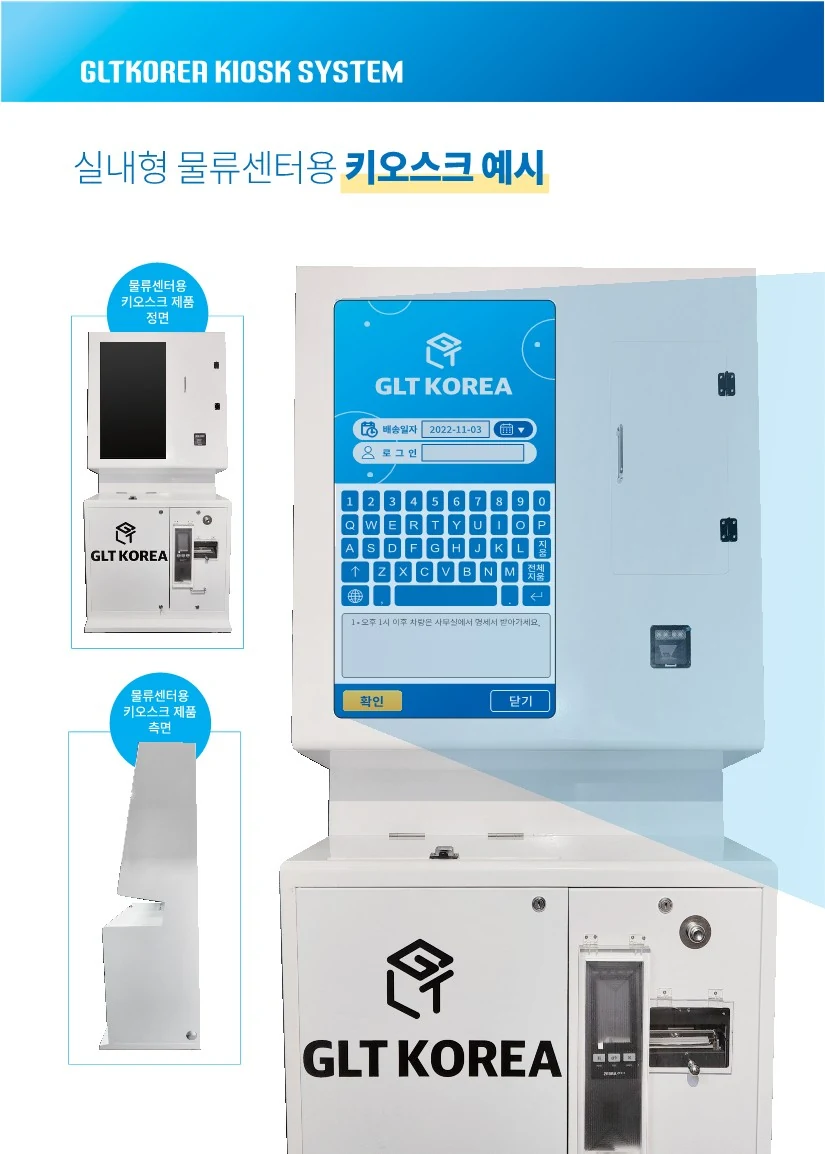
Original Korean source material. See the English explanation on this page.
It is a system that delivers work information from WMS and TMS to field workers and connects instruction confirmation, printing, barcode processing, and work result registration.
We review linkage based on the order/work information and result reception method of the existing system. You must check the current API/file specifications, identification key, cancellation/resend policy, and do not assume that it will be integrated unconditionally.
This page introduces logistics operation software and system linkage configuration. We will confirm during the consultation whether the equipment will be sold separately, the equipment included, the scope of installation and maintenance, and the possibility of reusing existing equipment.
There are related items in existing introduction materials, but they are not included by default in all introductions. Determine the scope of application and verification criteria by checking work rules, location and quantity data, and currently available modules.
It is a good idea to prepare work procedures, work instructions/barcode samples, order/product/location codes, result registration method, printer/scanner specifications, and network information. We've organized it by item in the introduction guide.
It varies depending on the number of centers/terminals, type of work, existing system connection, additional development, equipment/installation, and scope of operational support. After reviewing representative tasks and data, we propose a scope, estimate, and schedule.
Based on Director Sang-mok Lee’s freelance experience before joining GLT, this article explains the implementation scope and criteria for label inventory and locations, product-label verification, work blocking and inventory deduction after completion.
Learn More ↗The scope of task selection, work instructions and result registration, based on 2022 development coverage and GLT materials. Historical development is distinguished from current implementation conditions.
Learn More ↗An introduction to GLT’s kiosk, from work instructions to results collection, covering key functions, WMS and TMS integration, field equipment examples and implementation preparation.
Learn More ↗What to prepare for a warehouse kiosk: representative workflows, instructions and barcodes, existing WMS or TMS interfaces, equipment, cancellation, retransmission and on-site validation.
Learn More ↗Please tell me the process by which workers receive instructions and return results. We review the roles of business systems, terminals, printers, and scanners together.
Please choose a situation that is close to our company.
Even if you don't have any data yet, you can tell us about your current situation. Information that is difficult to disclose may be reviewed as a sample with identifying information masked.